
Make a professional invoice in a minute
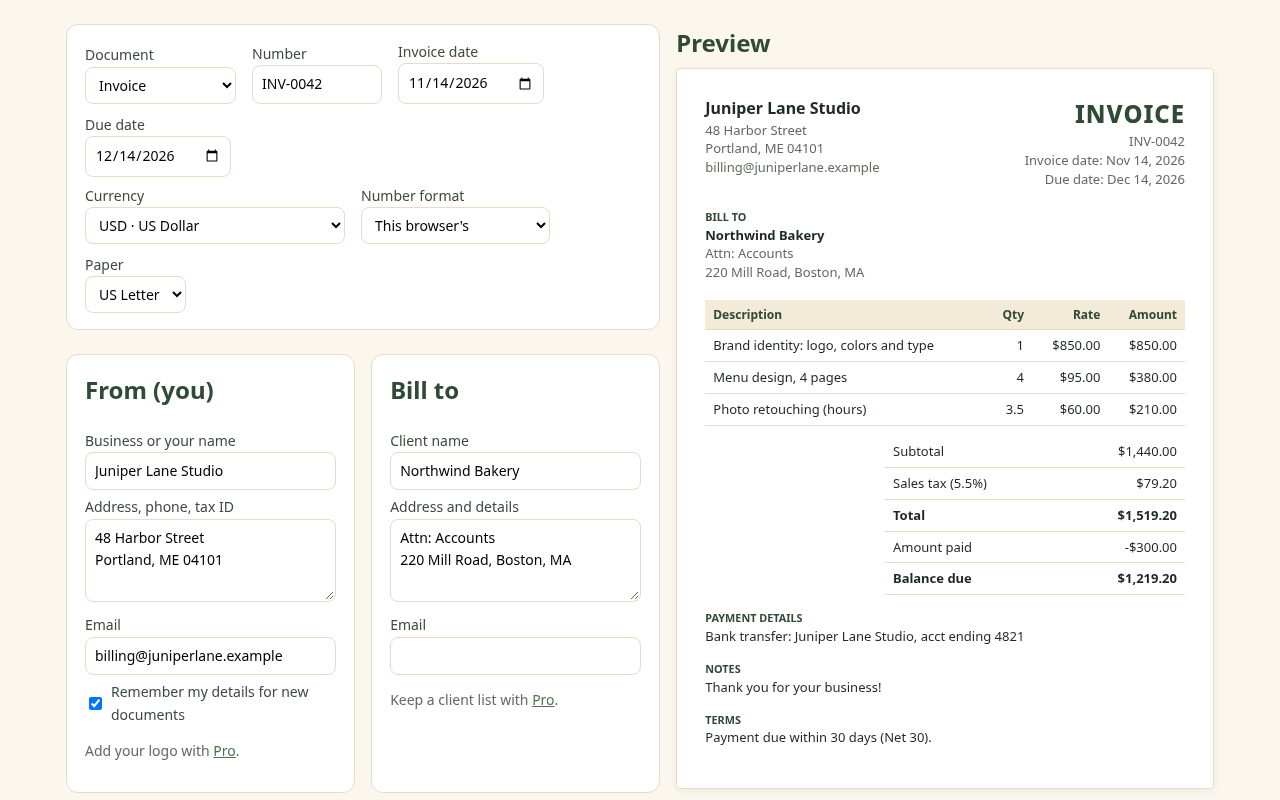
Fill in your details, add your work, download a clean PDF. Invoices, quotes and receipts in any currency, with tax, discounts and part payments. No account, no watermark, and nothing is uploaded.
Works in any modern browser on phone, tablet or computer, and offline after the first visit.
Free, without the catch
- Unlimited PDF downloads
- No sign-up or email
- No watermark or branding on your PDF
- Invoices, quotes and receipts
- Autosave and 5 saved documents
Built for real billing
- Any currency and number format
- Two tax lines: VAT, GST, sales tax
- Discounts (% or amount) and shipping
- Part payments and balance due
- Auto-numbering: INV-0001, INV-0002…
Private by design
- Runs entirely in your browser
- Your invoices stay on your device
- Works offline; install it like an app
- JSON backup you control
- No ads
How to make an invoice
- Your details: business name, address, email and any tax ID. Tick “Remember my details” and they're filled in next time.
- Your client: who you're billing and their address.
- Line items: a description, quantity or hours, and rate for each piece of work. Totals update as you type.
- Tax and terms: add VAT/GST/sales tax if you charge it, a due date, and how to pay you.
- Download PDF and send it from your own email.
New to invoicing? Read how to write an invoice, payment terms like Net 30 explained, how to make a receipt and our polite payment reminder templates.
WBS Invoice Pro: $9 once, no subscription
The free version stays fully usable. Pro is for people who invoice every week and want less retyping:
- A saved client list: pick a client and their details fill in
- Saved items and services with your usual rates
- Your logo on every PDF
- Unlimited saved invoices, quotes and receipts (free keeps 5)
- CSV export of everything you've saved, for your spreadsheet or bookkeeping
Get WBS Invoice Pro · $9 one-time
Sold through Gumroad. After buying, paste the license key from your receipt into the app. Unlocking sends only the key to Gumroad to check it.
Questions
Is it really free?
Yes. Making and downloading invoices, quotes and receipts is free with no limit on PDFs, no watermark and no sign-up. The optional one-time Pro upgrade ($9) adds conveniences: a saved client list, saved items, your logo, unlimited saved documents and CSV export.
Where are my invoices stored?
In your own browser on your device (localStorage). Wood Between Studio has no server copy and never sees them. Use the JSON backup to move them to another browser or keep a safe copy.
Does it work for VAT, GST or sales tax?
Yes. Add up to two tax lines with your own names and rates, for example VAT 20%, GST 18%, or CGST 9% and SGST 9%. Taxes are worked out on the subtotal after any discount. Check your local rules for what an invoice must show; this tool doesn't give tax advice.
Which currencies are supported?
Every currency your browser knows (about 300 ISO codes), including USD, EUR, GBP, INR, CAD, AUD, PHP, NGN, ZAR and AED, with the right symbol and decimal places, and number formats such as 1,234.56, 1.234,56 or 1,23,456.78.
Can I make a quote or a receipt?
Yes. Switch the document type to Quote (with a 'valid until' date) or Receipt (marked PAID IN FULL when the amount paid covers the total). 'Duplicate as next number' turns an accepted quote into an invoice in two clicks.
Does it work offline or on a phone?
Yes. It works on phones, tablets and computers, and after your first visit it also works offline. You can install it like an app from your browser's menu.
Can it email the invoice or take payments?
No. It makes the PDF; you send it from your own email and get paid the way you already do (bank transfer, PayPal, UPI, and so on). Put those details in the Payment details box.
What languages can the PDF show?
The PDF font covers Latin letters (including accents and Vietnamese), Greek and Cyrillic, plus currency signs like ₹, €, £, ₱ and ₦. Chinese, Japanese, Korean, Arabic and Devanagari text isn't supported in the PDF yet, and the app warns you if it spots any.
This tool helps you lay out and calculate an invoice. It isn't tax, legal or accounting advice; check what your country requires on an invoice.
More free tools from Wood Between Studio
- WBS Tools: compress images, convert JPG to PDF, merge, split and rotate PDFs in your browser. Files are never uploaded.
- Brimreel Web: record your screen, a tab or your webcam in the browser. No time limit, no watermark, and the video is saved to your computer, not uploaded.
- Tablark reload & countdown timer: a free online countdown and repeating interval timer with a beep, plus a reload bookmarklet.
- Snipfern: a private text expander for Microsoft Edge that turns ;shortcuts into your saved text. Its Edge Add-ons listing isn't live yet.