
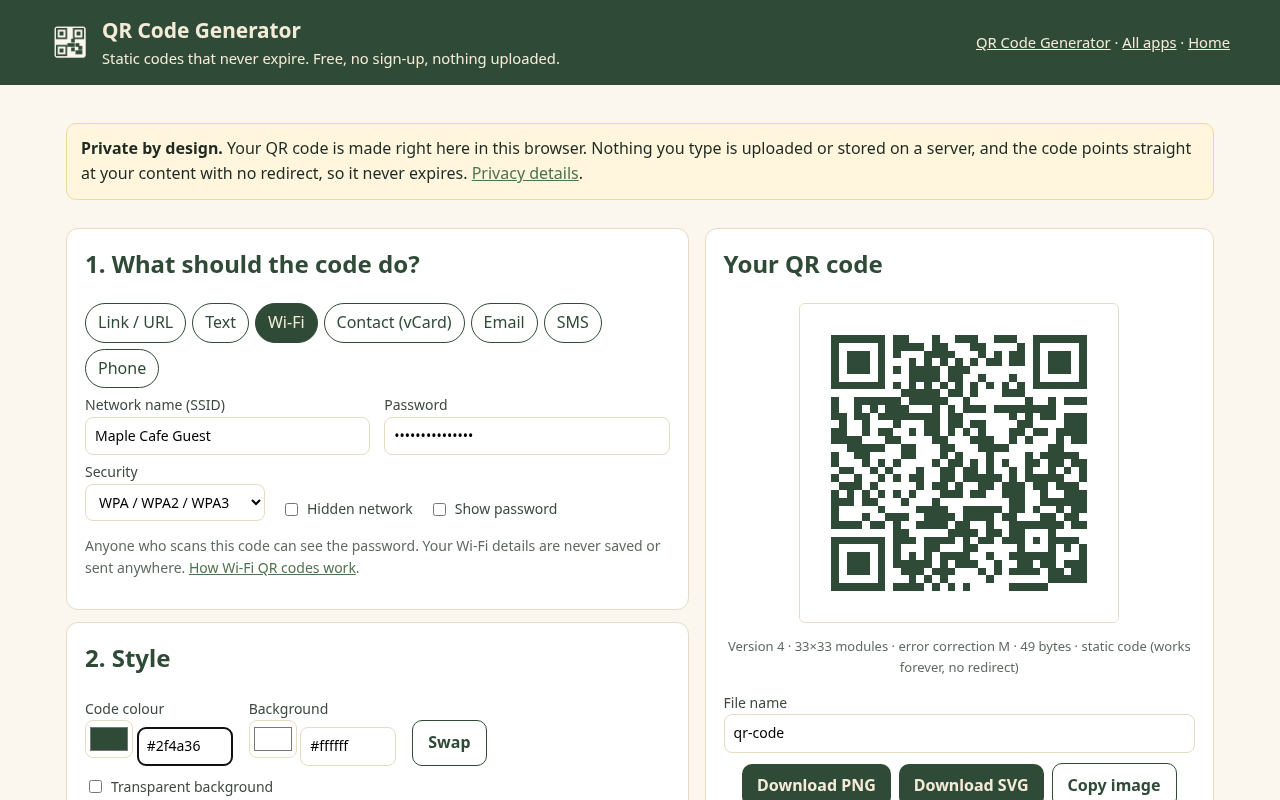
Make a QR code for a link, Wi-Fi network, contact card, email, text message or phone number. It's made in your browser, it never expires, and there's no sign-up, no watermark and no tracking redirect.
Quick start: Link · Wi-Fi · Contact card (vCard) · Email · SMS · Phone · Text
Never expires
Many “free” QR sites make dynamic codes that route through their servers and stop working when a trial ends. Ours are static: the content is in the code, so there's nothing to switch off.
Free, with no catch
- Unlimited codes
- URL, text, Wi-Fi, vCard, email, SMS, phone
- Your colours, error correction, size, margin
- PNG up to 4096 px and SVG
- No sign-up, no watermark
Private
- Runs entirely in your browser
- Nothing you type is uploaded or saved
- No scan tracking, no redirect domain
- Works offline; install it like an app
How to make a QR code
- Pick a type: link, Wi-Fi, contact, email, SMS, phone or plain text.
- Fill in the details. The preview updates as you type.
- Style it (optional): colours, error correction, size and margin. Keep a dark code on a light background.
- Download PNG or SVG, then scan it with your phone to check before you print.
Guides
- How to make a Wi-Fi QR code (guests join without typing the password)
- QR codes that don't expire: static vs dynamic
- How to put a QR code on a business card
- QR code print size: how big should it be?
- Bulk QR codes from a CSV or spreadsheet
WBS QR Pro: $7 once, no subscription
The free version stays fully usable. Pro is for businesses that make lots of codes or want them on-brand:
- Your logo in the centre of the code (error correction is raised automatically so it still scans)
- Batch QR codes from a CSV or spreadsheet, downloaded as a ZIP of PNG or SVG files, named the way you choose (free tries up to 3)
- Saved style presets for your brand colours and logo
Sold through Gumroad. After buying, paste the license key from your receipt into the app. Unlocking sends only the key to Gumroad to check it. Codes made with Pro are static too and never expire.
Questions
Do these QR codes expire?
No. They are static QR codes: your link or text is stored inside the code itself, not behind a redirect on our server. There's nothing to switch off, so the code keeps working for as long as your link does, with no subscription.
Is it really free?
Yes. Every code type, colours, sizes, PNG and SVG downloads are free with no limit, no sign-up and no watermark. WBS QR Pro is an optional one-time $7 upgrade for a logo in the centre, batch codes from a CSV and saved presets.
Can I use the codes commercially, on products, menus and flyers?
Yes. The codes you make are yours to use anywhere, including commercial print, packaging and signs. No attribution is needed.
Do you track scans?
No. A static code goes straight to your link, so nobody (including us) sees who scans it. If you need scan counts or want to change the destination after printing, that needs a dynamic QR service; pick one that tells you clearly what happens when a trial ends.
Can I change where the code points after printing?
Not with a static code: the destination is part of the pattern. A common trick is to point the code at a page on your own website that you control, then change that page whenever you like.
Is my Wi-Fi password sent anywhere?
No. The code is built in your browser and nothing you type is uploaded or saved. Anyone who scans a Wi-Fi code can see the password, so consider a guest network.
PNG or SVG?
SVG for print (it stays sharp at any size and works in Illustrator, Canva, Inkscape and Word). PNG for websites, slides and messages; choose 2048 or 4096 px for large prints.
Does it work offline?
Yes. After your first visit the app works without internet, and you can install it like an app from your browser menu.
More free tools from Wood Between Studio
- Free Invoice Generator: make invoices, quotes and receipts as PDFs in any currency, with tax and discounts. No sign-up, no watermark, and nothing is uploaded.
- WBS Tools: compress images, convert JPG to PDF, merge, split and rotate PDFs in your browser. Files are never uploaded.
- Brimreel Web: record your screen, a tab or your webcam in the browser. No time limit, no watermark, and the video is saved to your computer, not uploaded.
- Tablark reload & countdown timer: a free online countdown and repeating interval timer with a beep, plus a reload bookmarklet.